
Digitize your cleaning management with Hyginify
Who cleaned where and when? With Hyginify, you'll know. Whether you manage 100 properties, run 30 fitness studios, or coordinate a municipal cleaning team: digital records, real-time analytics, and full control at a glance.
Works in your browser, no app needed, ready in minutes.

From paper chaos to clear cleaning records
A sticky note somewhere. Or was it Excel? Or did someone forget to log it entirely? Hyginify puts an end to that. Cleaning tasks are recorded on-site with timestamps, signatures, and optional photos. No retroactive entries. No guessing.
Paper-based documentation
Paper gets lost, entries are added after the fact or are illegible. Audits turn into folder searches.
With Hyginify
A single QR code is all it takes to digitally record cleaning tasks with full traceability, displayed in a multilingual interface for staff, supervisors, and guests.
No transparency
Hard to prove when cleaning happened. Quality standards are unclear. Trust relies on gut feeling.
With Hyginify
Every cleaning is digitally logged with a digital signature, timestamp, and photo. Cleaning and staff reports can be analyzed in real time and exported as PDF.
Unclear responsibilities
Who is responsible? Has it been cleaned already? Without clear assignment, gaps or duplicate work arise.
With Hyginify
Cleaning schedules, tasks, and staff are managed centrally with clear assignments. Open and completed tasks are always transparently visible.
100%
Digital records
24/7
Real-time control & reporting
100%
Browser-based, no app
10+
Languages
How Hyginify works — it's this simple
Create tasks
Define what needs to be cleaned. Disinfect tables, mop floors, check restrooms. Set up once, use everywhere.
Set up staff
Name and PIN — that's it. Your cleaning staff don't need an app, a company email, or their own device.
Assign cleaning schedule
Define who cleans what and when. Daily, weekly, or as needed. Tasks and staff are assigned directly in the schedule.
Post QR code and go
Print the QR code and place it on-site. Your staff document and you see everything in real time.

QR Code Check-in
Digital Signatures
Photo Evidence
Efficient digital documentation and control of cleaning work — all in one place.
Check in via QR code, confirm tasks, done. No paper, no follow-up questions, no manual entries. The record is created automatically, right at the point of execution.
Everything you need for proof of cleaning — and nothing that gets in the way.
Manage tasks, staff, attendance, reports, and more on one intuitive platform. The focus is on just one question: Who cleaned what, where, and when.
- Manage cleaning records centrally, even across locations
- Handle staff and tasks without IT overhead
- Capture check-ins with QR code, signature, and photo on-site


Security for you and trust for your customers
Whether it's an owner, client, auditor, or guest: with Hyginify, you have a verifiable answer to every question about cleaning. Timestamp, signature, photo. No arguing, no remembering, no searching.
Hyginify focuses on one thing: hygiene documentation that works in practice.
The Hyginify check-in is done in four simple steps.
The user interface is deliberately kept simple. Cleaning staff document their work with just a few clicks, without training or app installation. That's how digitization actually works in everyday life.
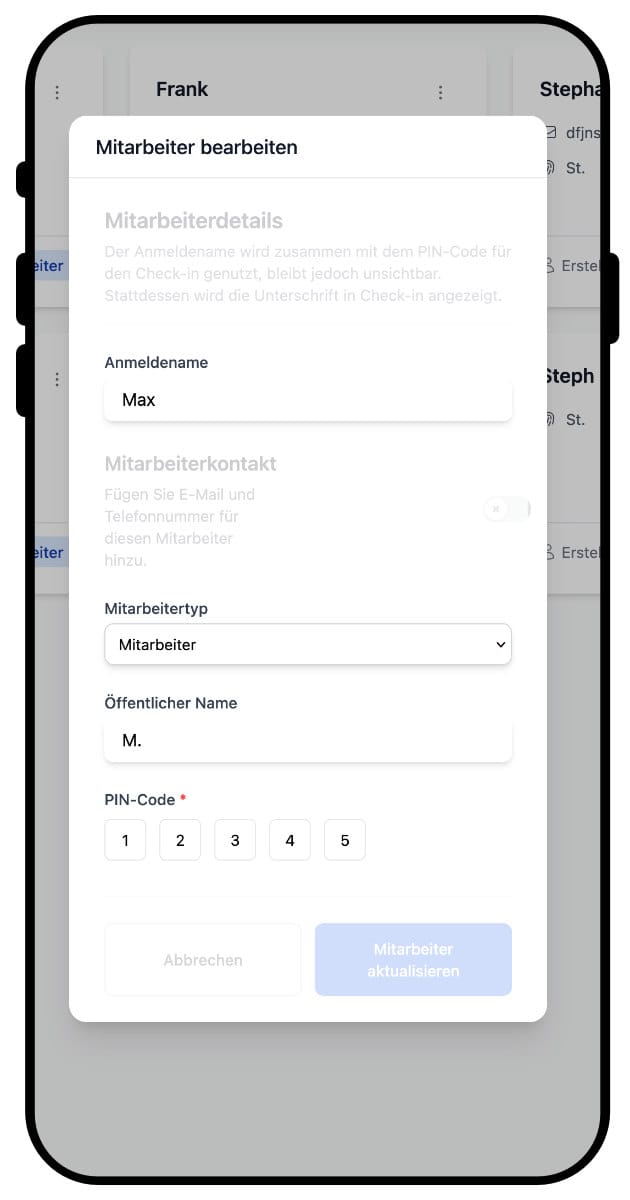
1. Receive credentials
Each employee receives a personal username and a five-digit PIN. These credentials are used for all staff check-ins.
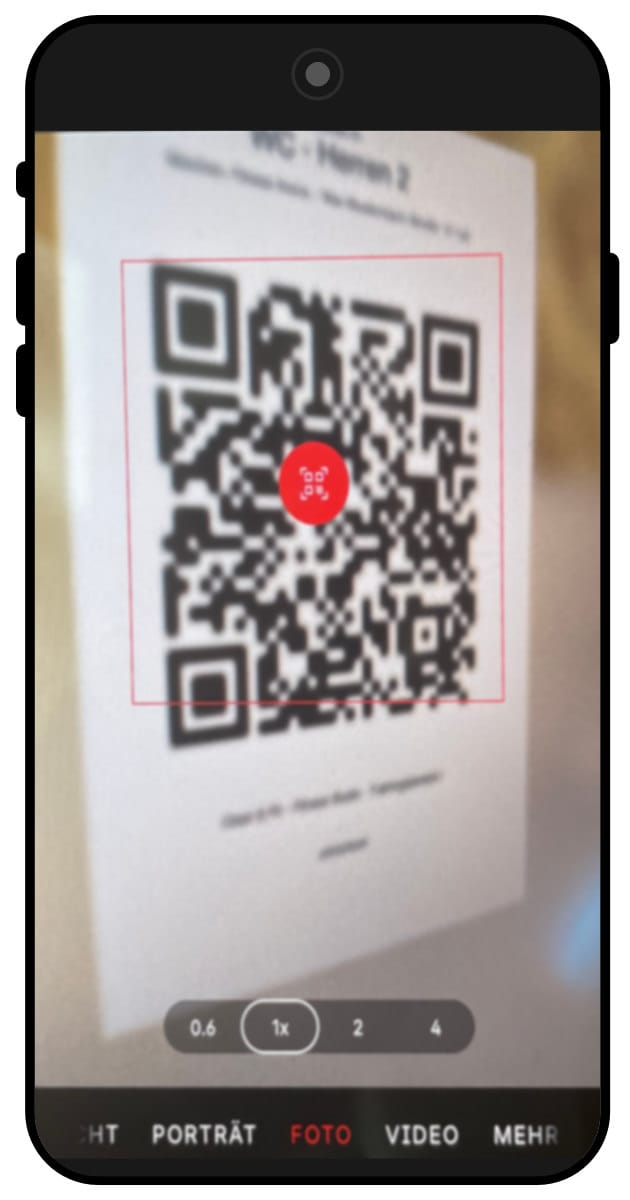
2. Scan QR code
The posted QR code is scanned with the smartphone camera. The corresponding cleaning record page opens automatically in the browser.
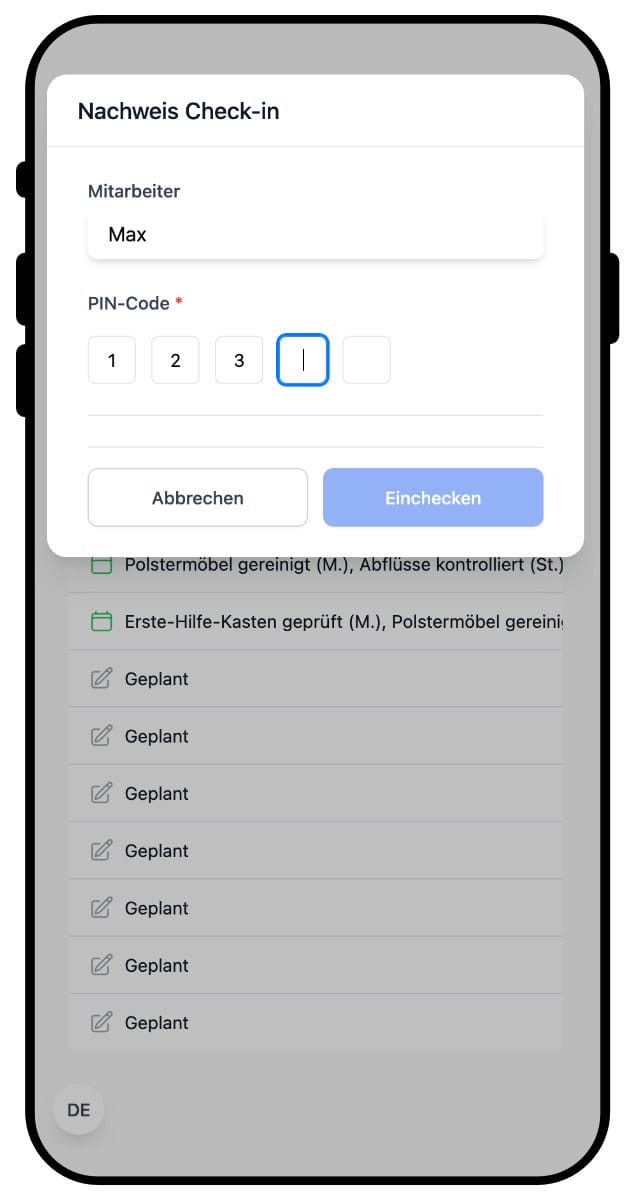
3. Log in with PIN
After tapping "Check-in", the employee enters their username and PIN. The assigned cleaning tasks are then displayed.
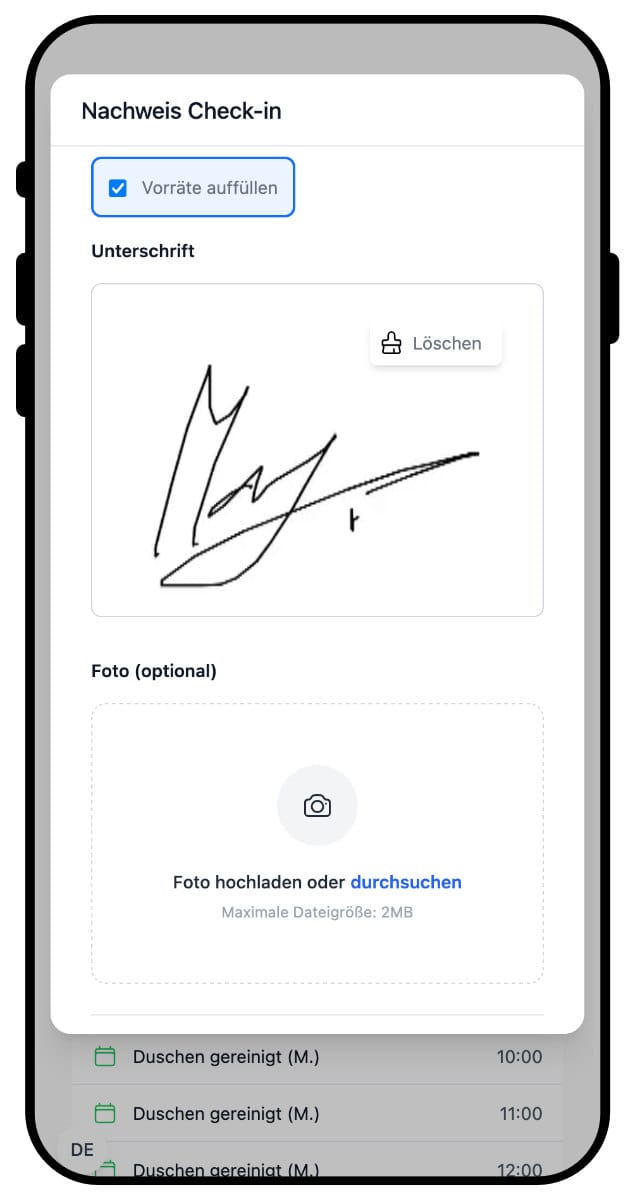
4. Confirm cleaning
Completed tasks are selected and confirmed directly. Documentation includes a timestamp, optional photo, and digital confirmation.
Digital hygiene that works in everyday life
Hyginify helps businesses reliably document cleaning tasks digitally. Instead of paper or complex software, the system relies on simple workflows and recording at the point of execution.
Easy to use
Hyginify is clear and self-explanatory. The interface is available in multiple languages and easy to understand without training.
Quick start
Getting started takes just a few minutes. No apps, no company email addresses, and no special devices needed.
On-site recording
Cleaning tasks are documented where they're performed. This ensures realistic and timely records.
Clear assignment
Each entry is linked to a task, a schedule, and a timestamp. This makes it visible who did what and when.
Time-tracked
Documentation includes timestamps at the point of recording. This makes workflows unambiguously traceable.
Easy access
Staff use Hyginify without an app. Access is via QR code and personal PIN directly in the browser.
Photo evidence
Photos can optionally be added to visually document cleaning work and reduce follow-up questions.
Constant overview
Completed and open tasks are always visible. Managers get a clear overview at a glance.
Visual analytics
Cleaning activities can be clearly analyzed. Charts and overviews show what gets done regularly and where deviations occur.
Export reports
Documentation can be filtered by time period and location and exported as PDF & CSV for internal or external reviews.
Clear instructions
Cleaning instructions with photos and videos can be attached to tasks. Staff see exactly what's expected, regardless of experience.
Report defects
Staff can directly report issues or damage. Reports are created on-site and linked to the relevant schedule.
Frequently Asked Questions
Find answers to the most commonly asked questions about Hyginify.
Digital cleaning records offer numerous advantages over traditional paper-based systems. They are more environmentally friendly, reduce administrative effort, enable fast and accurate data capture, and provide real-time updates.
End the paperwork. Switch to digital documentation.
Get started in minutes with a clear, browser-based solution for documenting your cleaning processes.
